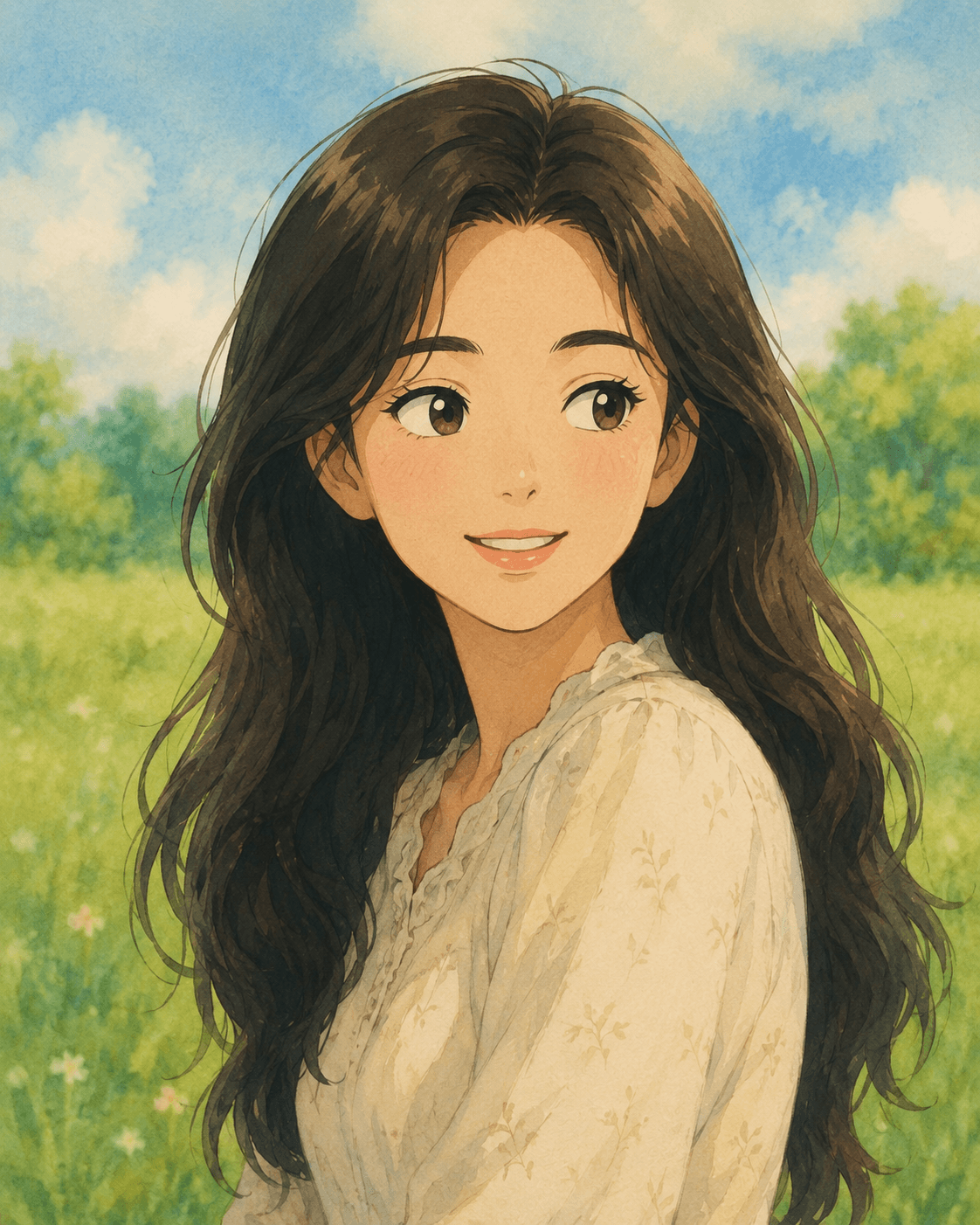
Style Transfer
Studio Ghibli Portrait
Reimagined as a Studio Ghibli animation character
Which photos work best
Front or slightly angled face photo. Pet photos work great too.
Prompt
Transform this photo into a Studio Ghibli-style illustration. Use soft watercolor textures and a pastel color palette (gentle greens, warm peaches, soft blues). Hand-painted feel with delicate linework. Add dreamy atmosphere with subtle fantasy elements — floating light particles, gentle wind, soft glowing elements. The subject should remain recognizable but stylized with Ghibli's characteristic soft features and warm expressions. Cozy, nostalgic mood. 4:5 ratio.
[Quality boosters — apply to all results]
- Follow the trend's specific art style (cel-shading, watercolor, 3D Pixar, etc.) as the top priority. The identifiability/expression rules below apply WITHIN that style
- Keep the subject's face shape, features, and hairstyle recognizable (someone who knows them should identify them)
- Warm expression with a subtle smile; subject should feel slightly more attractive than the original in a natural way
- BUT do not alter the face enough to make them look like a different person
💡 How it works · ChatGPT will auto-fill the prompt, or if not, long-press the input and paste → attach your photo